Tasks that make sure
they get done.
Give a task a deadline and an estimate. Scrap finds time for it in your calendar and adjusts when plans change.
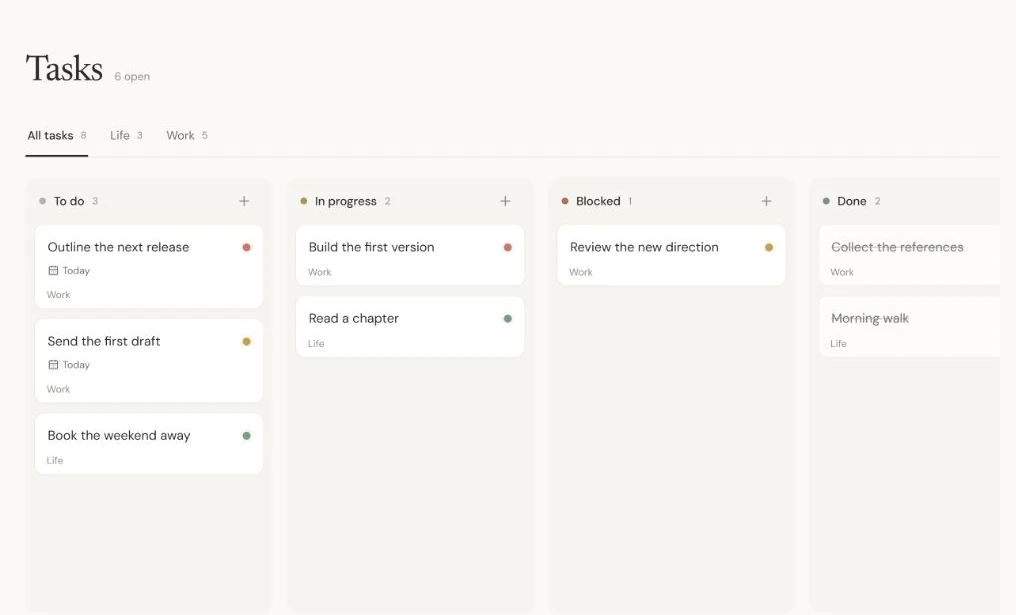
Tasks
6 open
To do
3In progress
2Blocked
1Done
1Drag to a stack, or press Space, use the left and right arrows, and press Enter. Escape cancels.
Every task finds its place.
The task stays on your board while its work time appears in your calendar.
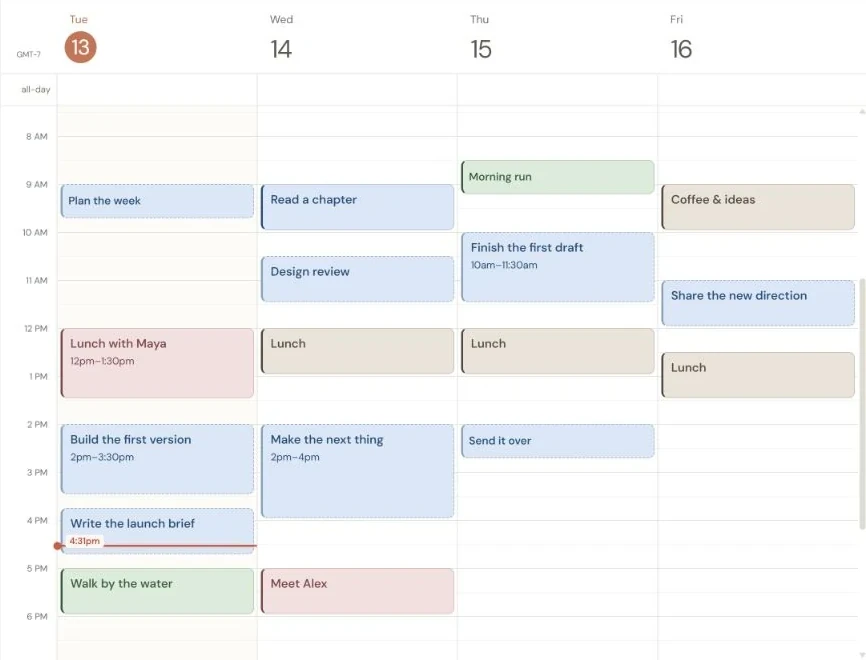
Add a task. Make time for it.
Add a task in plain language. Scrap estimates the time it needs, keeps the deadline in view, and schedules it.
The plan changes with you.
Finish early, need more time, or get blocked? Update the task and Scrap moves the remaining work.
FAQ
Does every task need a time slot?
No. Quick to-dos stay visible without taking calendar time. When-free tasks use spare space without moving other work.
Can I manage tasks without chat?
Yes. Create and edit tasks directly, drag them between lists, and change their priority, deadline, and repeat schedule.
Are task blocks separate tasks?
No. Several calendar sessions can belong to one task and track the same work.